
Subtitle OCR
Convert bitmap subtitle sources into editable subtitles you can review, clean, and export.
Overview
Subtitle OCR converts bitmap subtitle sources into editable text subtitles. Import PGS tracks from media containers, standalone SUP files, or standalone VobSub IDX/SUB pairs, then review each decoded cue against its source image.
Works with other tools
Some outputs can be opened again in another MediaFlow workspace.
Demo video
Watch a short product demo for this tool before following the detailed steps.
Formats
Use this section to confirm what you can bring in and what you can save.
Import media files with PGS bitmap subtitle tracks, standalone SUP subtitle files, or standalone VobSub IDX/SUB pairs.
Export the selected OCR version as a standard text subtitle file.
How to use
Follow the annotated captures to find the right controls inside the desktop app.
Add supported media files, SUP files, or IDX/SUB pairs. For media containers, choose the embedded bitmap subtitle tracks you want to process.
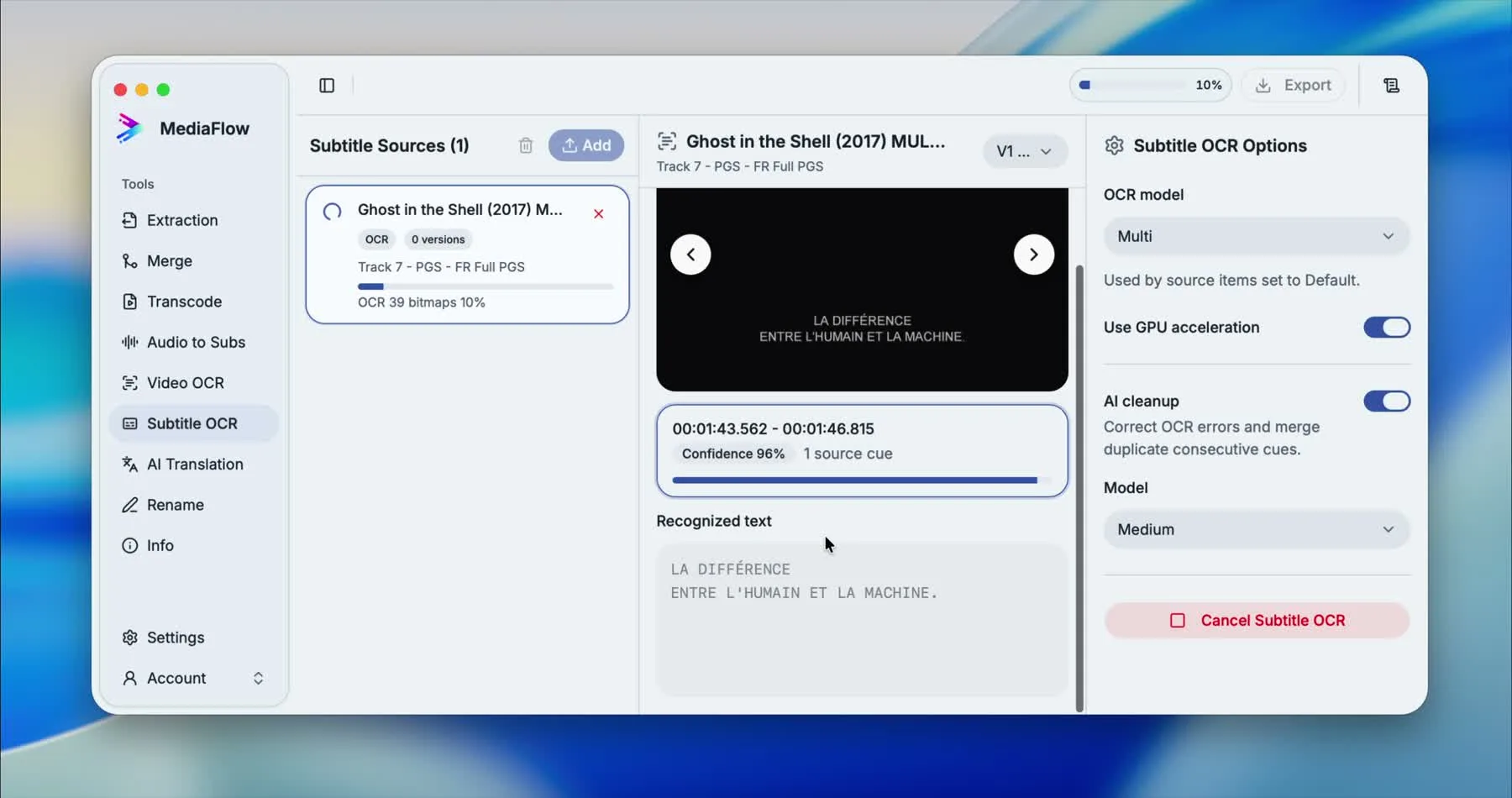
Choose the OCR model and GPU option, then start the run. MediaFlow decodes bitmap cues and shows recognized text as processing progresses.
Compare each bitmap preview with the recognized text. Enable AI cleanup when you want OCR errors corrected and duplicate consecutive cues merged.
Edit cue text directly, select versions, retry OCR when needed, or run cleanup again without losing the review history.
Open the version dialog, preview the output, then copy or export the selected version as ASS, SRT, or WebVTT.
Screenshots
Use these annotated captures to recognize the workspace and key areas of the tool.