
AI Translation
Translate subtitle files, compare versions, edit the result, and save final subtitles.
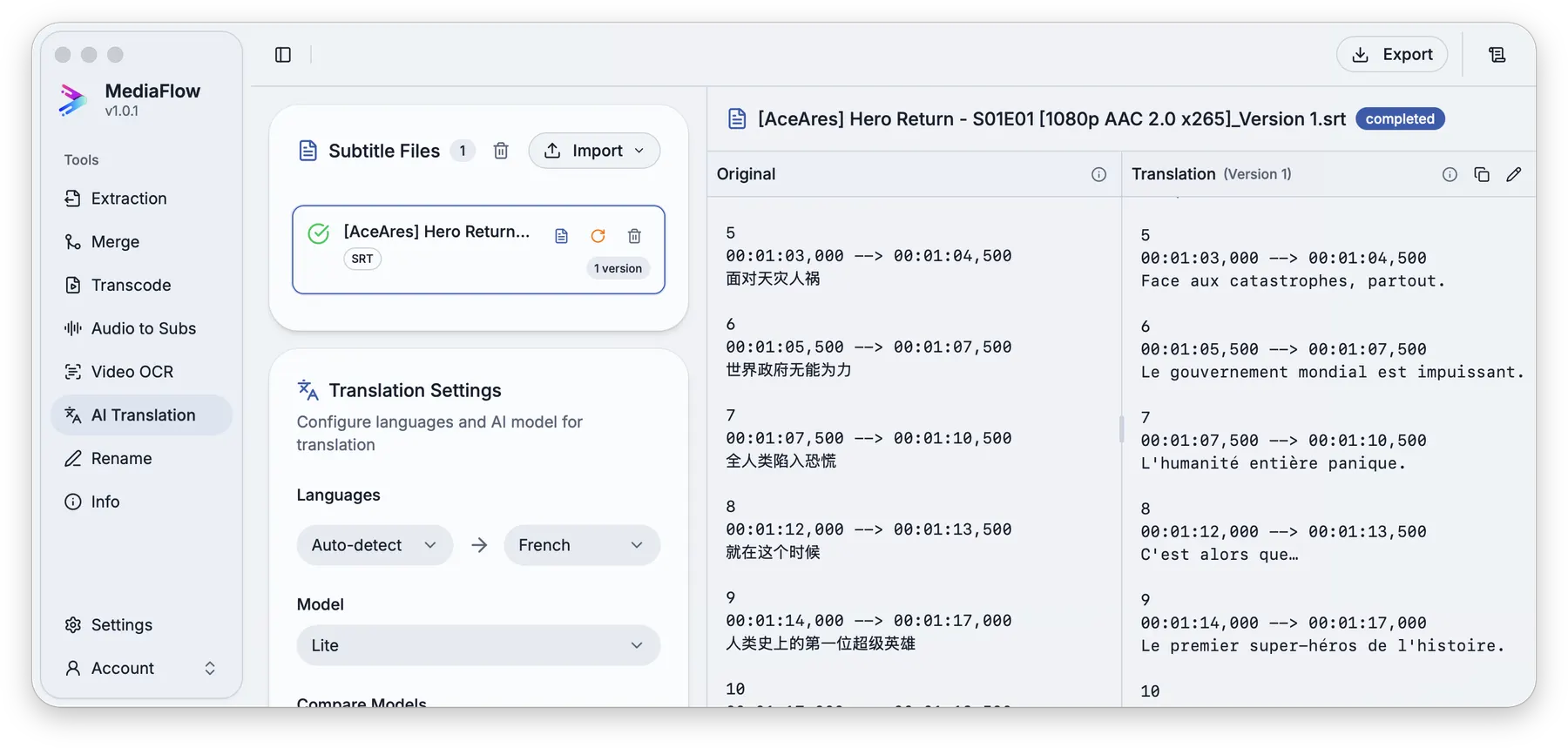
Overview
AI Translation opens subtitle files, translates them into target languages, and keeps each result as a version you can compare and edit.
Works with other tools
Some outputs can be opened again in another MediaFlow workspace.
Demo video
Watch a short product demo for this tool before following the detailed steps.
Formats
Use this section to confirm what you can bring in and what you can save.
Import subtitle files, or use subtitles saved from Video OCR and Audio to Subs.
Exports keep the matching subtitle file type for each source file.
How to use
Follow the annotated captures to find the right controls inside the desktop app.
Import supported subtitle files or pull subtitle versions from compatible MediaFlow tools.
Select the source and target languages, then choose how many versions to create.
Keep each translation attempt as a version so you can compare or export the right one later.
Compare the original and translated text side by side, then edit the result if needed.
Export the latest, all, or selected translation versions.
Screenshots
Use these annotated captures to recognize the workspace and key areas of the tool.