
Workflow alternative
FileBot alternative for media batch renaming workflows
Rename files with previews and conflict checks inside the same app you use for extraction, merge, transcode, OCR, translation, and export.
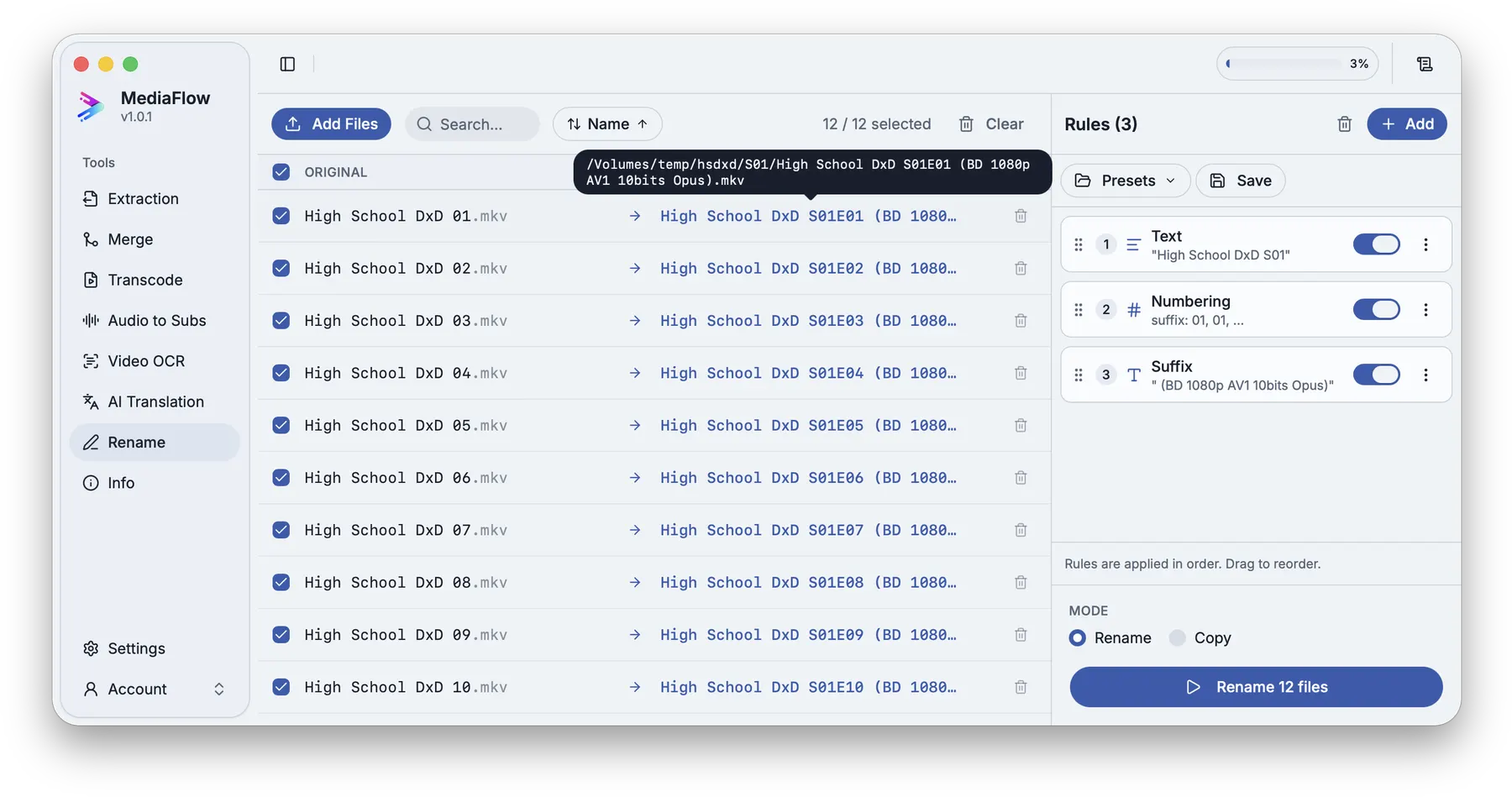
Clean filenames matter before matching subtitles, after transcoding, and when organizing generated tracks or subtitles.
Use Batch Rename to prepare source names, clean exported names, avoid conflicts, and keep the media workflow inside one desktop workspace.
MediaFlow strengths
Built for the full batch workflow
Clean names in the same workflow
Use Batch Rename before or after processing so outputs leave with names you can keep.
Conflict preview
Preview target names and catch conflicts before anything changes on disk.
Tools work together
Extraction, merge, transcode, OCR, translation, rename, and file info stay connected inside MediaFlow.
Review before export
Check matches, settings, filenames, tracks, subtitles, and outputs before MediaFlow writes final files.
Workflow
How it works in MediaFlow
Import files to rename
Add videos, subtitles, tracks, or generated outputs.
Build simple rules
Combine rules for prefixes, replacements, numbering, case changes, and cleanup.
Preview conflicts
Check every target name and resolve conflicts before writing.
Continue processing
Use the cleaned files in Transcode, Merge, Extraction, OCR, or File Information.
FAQ
Questions users ask
MediaFlow focuses on rule-based batch renaming inside a larger media workflow, not on being a metadata database manager.
Because filenames affect matching, outputs, and review. Keeping rename in the same workspace reduces cleanup passes.
Yes. Batch Rename shows target names and conflicts before anything is applied.