
Track Merge
Add subtitle or audio tracks to videos and create clean, ready-to-use media files.
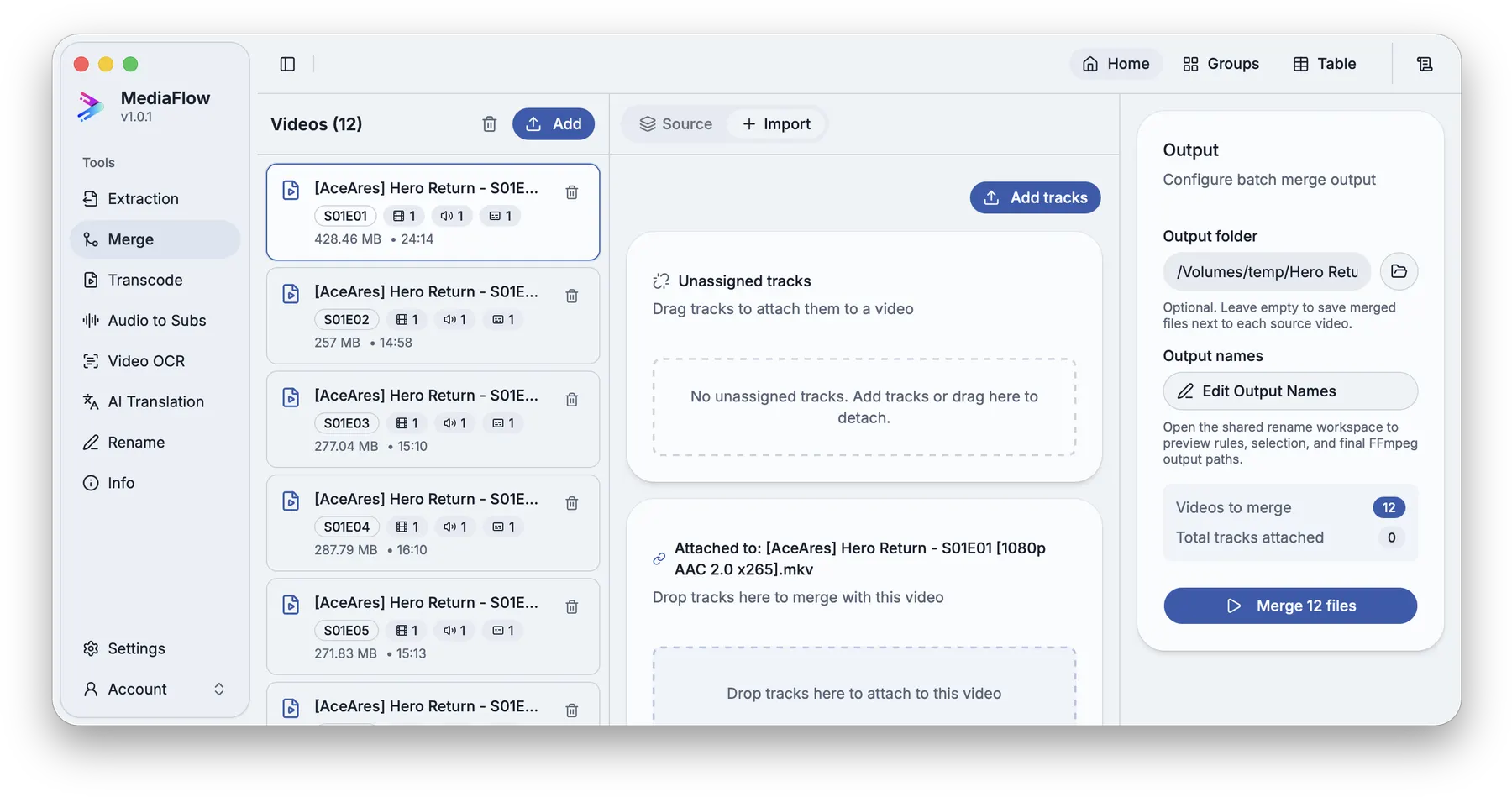
Overview
Track Merge combines a video with matching subtitles or audio, lets you adjust labels and order, then saves a final media file.
Works with other tools
Some outputs can be opened again in another MediaFlow workspace.
Demo video
Watch a short product demo for this tool before following the detailed steps.
Formats
Use this section to confirm what you can bring in and what you can save.
Import source videos and the subtitle or audio files you want to add.
Merged outputs are saved as MKV files with names you review before starting.
How to use
Follow the annotated captures to find the right controls inside the desktop app.
Import the videos that will receive additional tracks.
Select a source video and confirm the video, audio, and subtitle tracks already inside it.
Add audio or subtitle files, or bring in tracks saved from Track Extraction.
Open the matching menu when you want MediaFlow to suggest links for unassigned tracks.
Analyze the ready videos and generate proposals without changing existing attachments.
Review the proposals, select the matches you trust, and apply them to the batch.
Use the grouped or table view to confirm every video has the expected attached tracks.
Review output names, choose the destination, and save the batch.
Screenshots
Use these annotated captures to recognize the workspace and key areas of the tool.