
Workflow alternative
MKVToolNix alternative for batch subtitle and audio merging
Import videos, subtitles, and audio tracks in bulk, match episodes automatically or with AI, review the batch, and export clean MKV files.
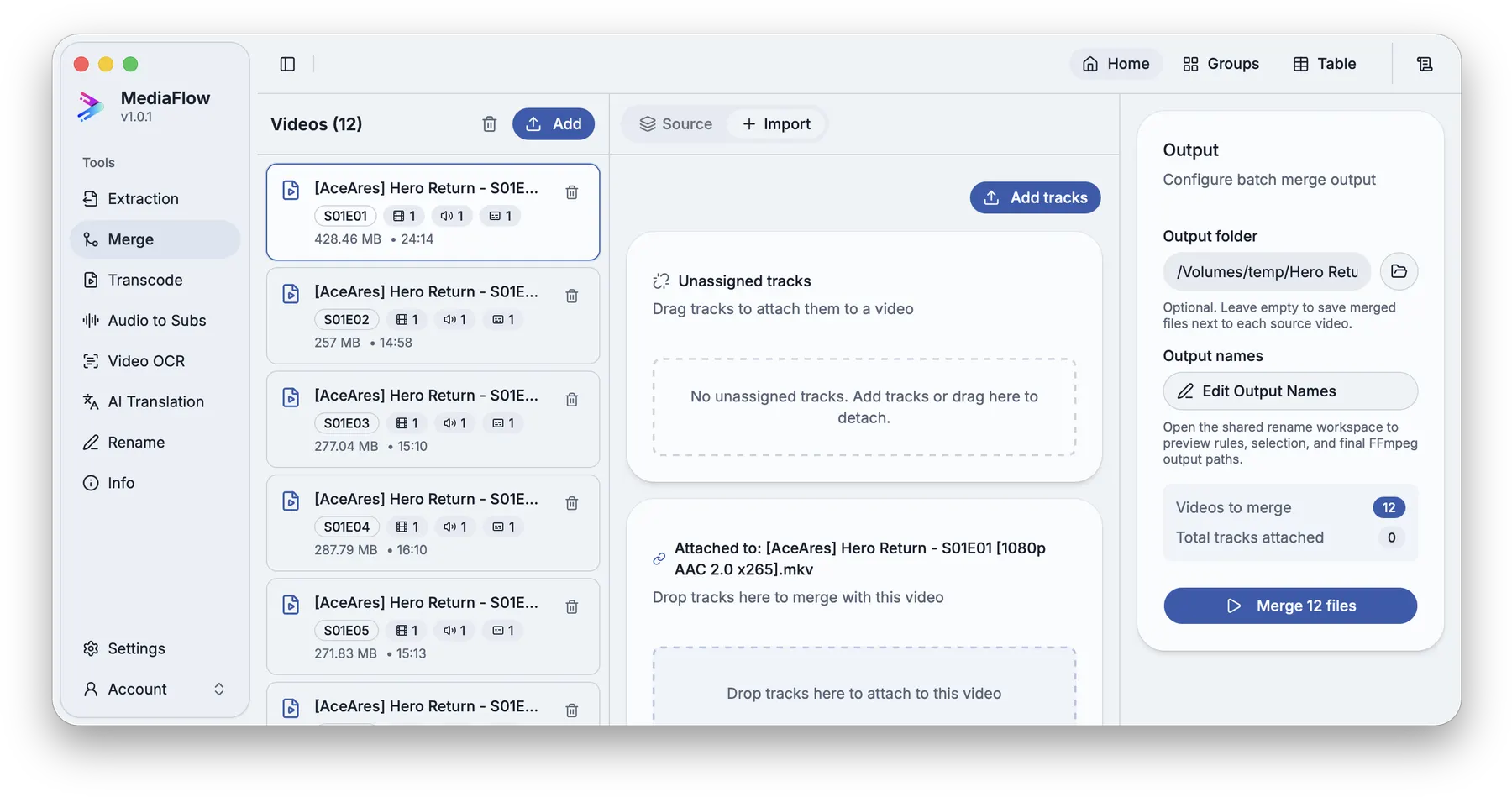
A few files are easy to handle manually. A full season with loose subtitles, audio tracks, inconsistent filenames, and output names needs a workflow built for batches.
Add source videos, add external tracks, let MediaFlow match season and episode patterns, use AI Match when names are messy, then apply only the suggestions you trust.
MediaFlow strengths
Built for the full batch workflow
Batch import
Bring in a full season or a large folder, then work through the batch from one workspace.
Automatic episode matching
MediaFlow can use season and episode patterns to pair videos with matching subtitles or audio tracks.
AI matching when names are messy
When filenames are inconsistent, AI Match can suggest pairings while leaving you in control of what gets applied.
Review before export
Check matches, settings, filenames, tracks, subtitles, and outputs before MediaFlow writes final files.
Workflow
How it works in MediaFlow
Import source videos
Start with one file, a season, or a large folder of episodes.
Add subtitle or audio tracks
Bring in subtitles, audio, or tracks saved from Track Extraction.
Match automatically or with AI
Use episode matching first, then AI suggestions when filenames are inconsistent.
Review and export MKV files
Check attachments, order, labels, output names, and destination before writing the batch.
FAQ
Questions users ask
Yes. Import the videos and subtitle files together, match them by episode or with AI, then review the full batch before export.
No. AI Match creates suggestions. You choose which matches to apply before any export runs.
Track Merge exports MKV files with the selected video, audio, and subtitle tracks.