
Workflow alternative
Shutter Encoder alternative for AI-assisted batch transcoding
Use AI-assisted recommendations, presets, batch queues, clean output names, and reviewable transcode settings inside one MediaFlow workflow.
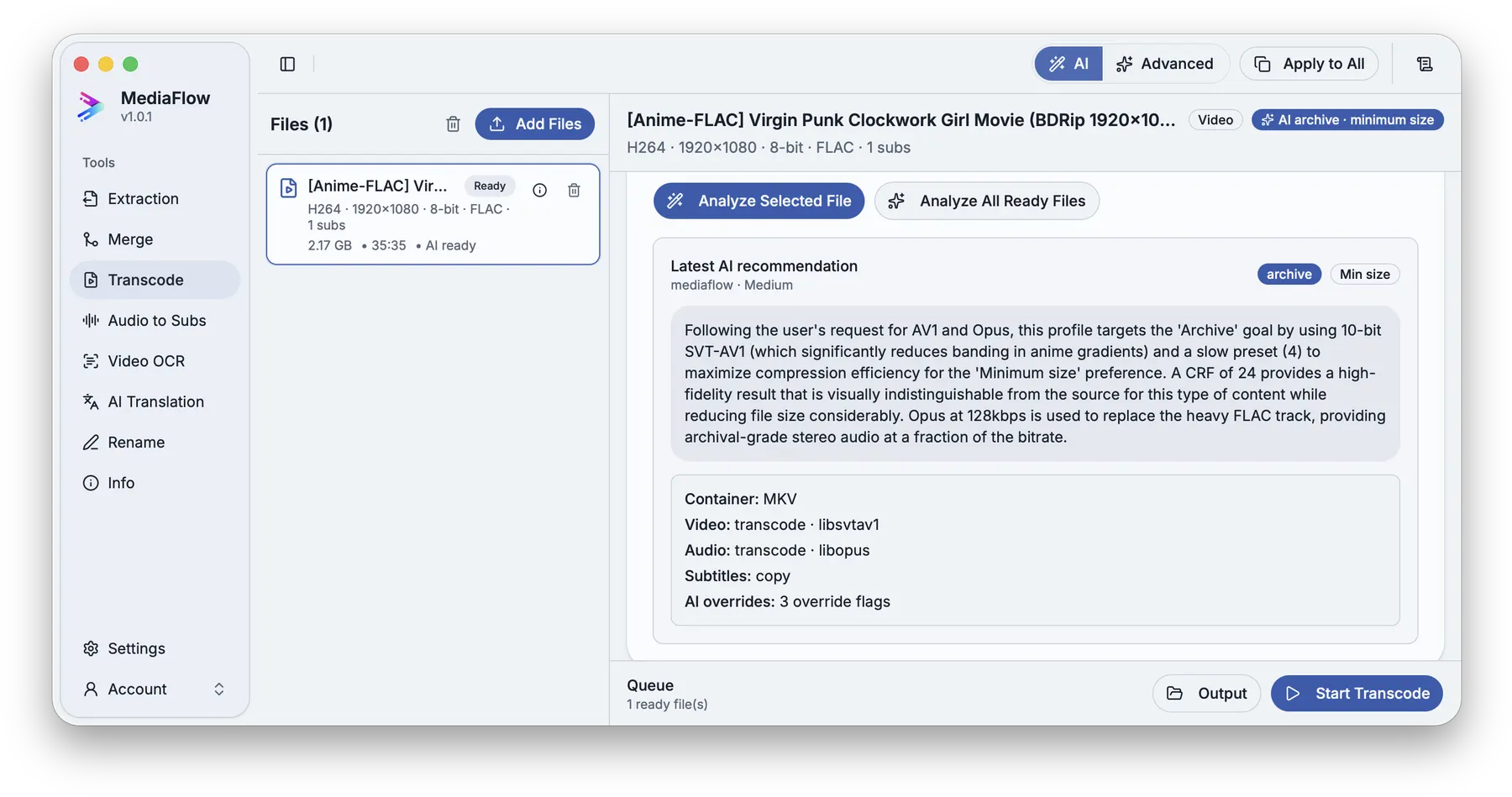
A batch may need inspection, naming, settings, subtitle decisions, and output review before the conversion starts.
Prepare names with Batch Rename, inspect media details, ask AI Assist for source-aware settings, then run the batch with the output names you expect.
MediaFlow strengths
Built for the full batch workflow
AI-assisted transcode settings
Ask MediaFlow for settings based on your source media, goal, size preference, and available encoders.
Season-scale batches
Prepare many episodes or clips together and run the queue once the batch is ready.
Clean names in the same workflow
Use Batch Rename before or after processing so outputs leave with names you can keep.
Review before export
Check matches, settings, filenames, tracks, subtitles, and outputs before MediaFlow writes final files.
Workflow
How it works in MediaFlow
Import the batch
Add a full season, folder, or selected files to Transcode.
Choose a goal or preset
Pick a practical target for speed, quality, archive, or size.
Ask AI Assist
Let MediaFlow recommend settings from the source file and available encoders.
Review output names and run
Confirm destination, naming, codecs, audio, subtitles, and metadata before starting.
FAQ
Questions users ask
It recommends a complete practical profile from the source file, your goal, size preference, and available encoders.
Yes. You can prepare many files, check settings and names, then run the batch.
Yes. Batch Rename can prepare names before processing, and Transcode output names are reviewed before export.