
Use case
Batch merge subtitles with video
Import videos and subtitles in bulk, match tracks automatically or with AI, review every pairing, and export clean MKV files.
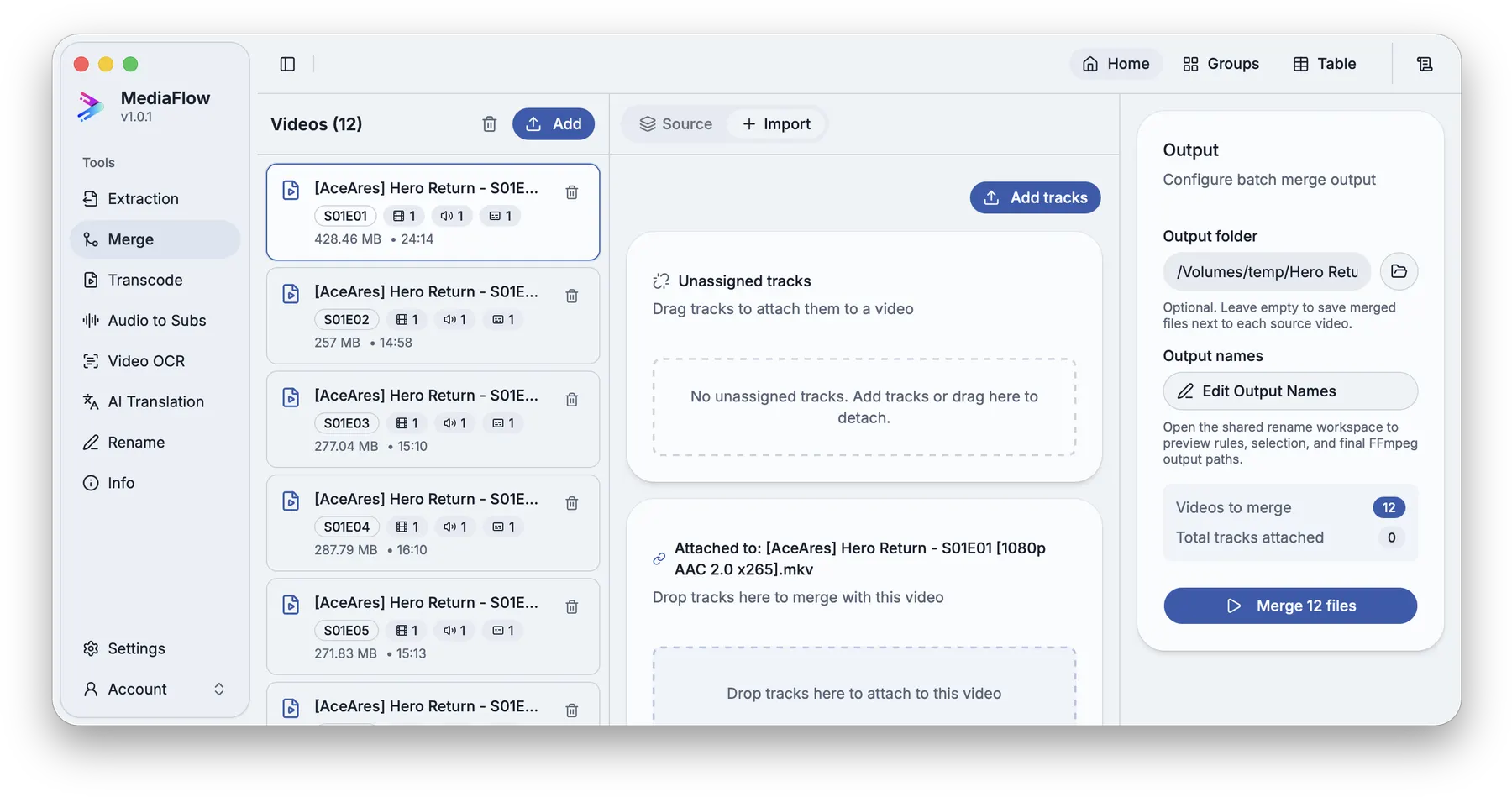
When every episode has a matching subtitle or audio track, repeating the same merge steps file by file wastes time and creates naming mistakes.
Add the videos and loose subtitle files, use automatic or AI matching, review the attachments, then export the batch when every episode looks right.
MediaFlow strengths
Built for the full batch workflow
Batch import
Bring in a full season or a large folder, then work through the batch from one workspace.
Automatic episode matching
MediaFlow can use season and episode patterns to pair videos with matching subtitles or audio tracks.
AI matching when names are messy
When filenames are inconsistent, AI Match can suggest pairings while leaving you in control of what gets applied.
Review before export
Check matches, settings, filenames, tracks, subtitles, and outputs before MediaFlow writes final files.
Workflow
How it works in MediaFlow
Add source videos
Bring in the episodes that need new tracks.
Import subtitles or audio
Add external SRT, ASS, VTT, audio, or extracted tracks.
Match the batch
Use season and episode matching, then AI suggestions when names need help.
Export reviewed MKV files
Confirm attachments and output names before starting the merge.
FAQ
Questions users ask
Yes. MediaFlow is designed for batch video and subtitle workflows.
Use automatic episode matching first, then AI Match for ambiguous or messy names.
Yes. You review pairings, tracks, order, and output names first.