
Use case
Batch extract subtitles from MKV files
Extract subtitle, audio, or video tracks from MKV and other media containers in a reviewable batch workflow.
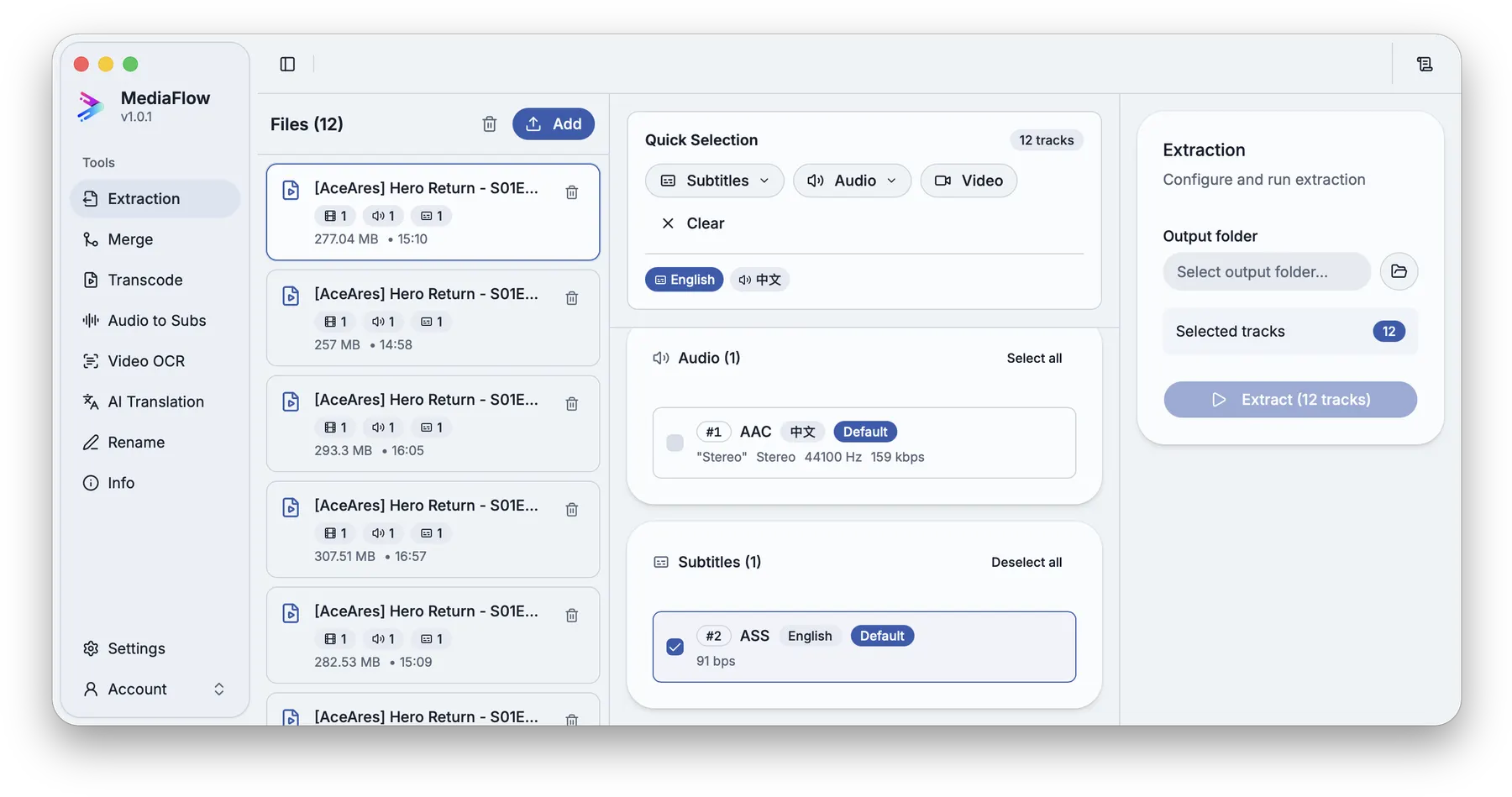
A media folder can contain many embedded subtitle and audio tracks. MediaFlow helps you select what matters and save it cleanly.
Import the files, inspect the available tracks, select subtitles or audio, choose a destination, and reuse the saved tracks in other MediaFlow tools.
MediaFlow strengths
Built for the full batch workflow
Batch import
Bring in a full season or a large folder, then work through the batch from one workspace.
Track-level control
Select the audio, video, or subtitle tracks you want to save across the batch.
Tools work together
Extraction, merge, transcode, OCR, translation, rename, and file info stay connected inside MediaFlow.
Review before export
Check matches, settings, filenames, tracks, subtitles, and outputs before MediaFlow writes final files.
Workflow
How it works in MediaFlow
Add MKV files
Import one file, a season, or a large folder.
Select tracks
Pick subtitle, audio, or video tracks per file or across the batch.
Choose a destination
Set the folder where saved tracks should be written.
Reuse outputs
Open extracted subtitles or audio in Merge, Translation, Audio to Subs, Rename, or File Information.
FAQ
Questions users ask
MediaFlow can save common subtitle track outputs such as SRT, ASS, SSA, VTT, SUB, and SUP when present in the source.
Yes. Import multiple files, select the tracks, and run the extraction together.
Yes. Compatible outputs can continue into Merge, Translation, Rename, and other tools.